Productivity apps are supposed to make life easier.
But somehow, many of them end up doing the opposite.
You open one app to check your tasks. Another app for your calendar. Another one for notes. Another for habit tracking. Then there are tags, databases, dashboards, automations, templates, widgets, integrations, and weekly review systems that somehow require their own weekly review.
At some point, you are no longer planning your day.
You are maintaining a productivity machine.
And honestly? Not everyone wants that.
Some people just want a simple place to see their schedule, write things down, and feel a little more in control of the day.
That is where an iPad planner can feel very different.
Why Some People Hate Productivity Apps
Most productivity apps are built around structure.
That can be useful. But too much structure can also become exhausting.
You may have felt this before:
- You spend more time organizing tasks than doing them
- You feel guilty when you do not update your system
- You keep switching apps because none of them feels quite right
- You create a perfect setup, then stop using it after a week
- You miss the simplicity of paper, but still want the convenience of digital tools
This does not mean you are bad at productivity.
It may simply mean that your brain does not want another system to manage.
A planner should help you think. It should not become another job.
The Problem with “Power User” Productivity Tools
Many productivity apps are designed for people who enjoy building systems.
That is great for some users. If you love custom dashboards, complex databases, and automation rules, those tools can be powerful.
But for many people, that level of flexibility is actually the problem.
When an app can become anything, you have to decide what it should become.
That means more setup, more decisions, more maintenance, and more chances to feel like you are doing it wrong.
Sometimes the best planning tool is not the one with the most features.
It is the one you actually open every day.
Why an iPad Planner Feels More Natural
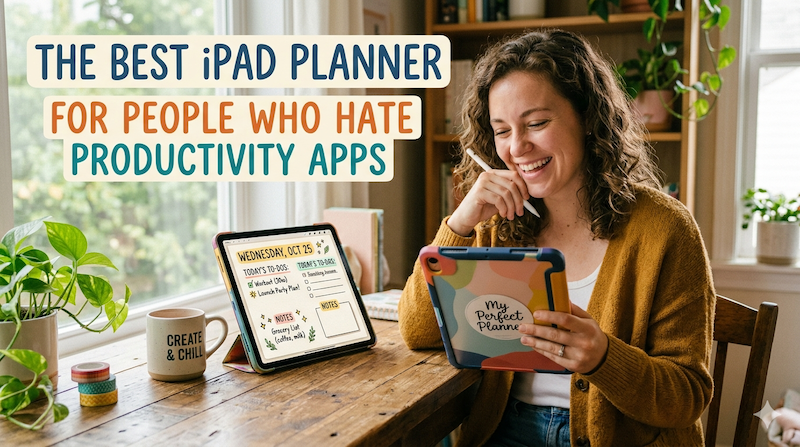
A good iPad planner gives you something closer to a paper planner, but with digital convenience.
You can write by hand. You can see your day or week visually. You can move through your schedule without building a complicated system first.
This matters because handwriting feels different from typing.
Typing a task into an app can feel like filing data.
Writing it by hand feels more like making a decision.
When you write something into your planner, you are not just storing information. You are choosing where it belongs in your day.
That small difference can make planning feel calmer and more intentional.
You Do Not Need a Perfect Productivity System
One reason people give up on productivity apps is that they try to create the perfect system.
They set up categories, priorities, tags, projects, due dates, recurring tasks, color codes, and review routines.
Then real life happens.
A meeting runs late. A child gets sick. You feel tired. A task takes longer than expected. Suddenly the beautiful system breaks.
An iPad planner is better when you use it less like a machine and more like a notebook.
You do not need to track everything.
You just need to answer a few simple questions:
- What is happening today?
- What actually matters?
- What do I have time for?
- What can wait?
That is enough.
The Best iPad Planner for People Who Hate Productivity Apps
If you hate productivity apps, the best iPad planner is one that feels simple, visual, and easy to return to.
It should not force you to become a project manager of your own life.
It should help you:
- See your calendar clearly
- Write by hand with Apple Pencil
- Plan your day or week visually
- Add notes around your schedule
- Keep planning flexible when things change
- Avoid complicated setup
This is where Planner for iPad works especially well.
It gives you the feeling of a paper planner, but with the advantages of a digital calendar. You can handwrite your plans, check your schedule, and organize your day without building a complicated productivity system from scratch.
Instead of asking you to design a dashboard or maintain a database, it gives you a familiar space: a planner page.
Open it. Look at your day. Write things down.
That is the whole point.
Why Handwriting Still Matters
There is a reason paper planners never fully disappeared.
Writing by hand slows you down just enough to think.
When you type tasks into a productivity app, it is easy to add too much. Everything becomes a task. Everything looks equally important. Your list gets longer and longer.
But when you write by hand, space is limited.
That limitation is helpful.
You naturally become more selective. You write down what matters. You notice when the day is already full. You stop pretending that 18 tasks will fit into one afternoon.
A handwritten iPad planner gives you that same feeling, without needing to carry a paper planner everywhere.
Planning Without the Productivity Guilt
Some productivity apps create a strange kind of guilt.
If you do not check off every task, your list looks unfinished.
If you do not update your dashboard, it feels abandoned.
If you skip a habit, the streak breaks.
For some people, this is motivating. For others, it is just stressful.
A planner should not shame you.
It should help you restart.
One of the best things about a simple planner is that every day is a fresh page. Yesterday can be messy. Last week can be incomplete. You can still open today’s page and start again.
That is a much healthier way to plan.
A Simple Way to Use an iPad Planner
If you dislike productivity systems, keep your planning routine extremely simple.
Try this:
- Open your planner in the morning
- Look at your calendar events
- Write down your top 3 priorities
- Add any small notes or reminders around your schedule
- Revisit the planner once in the afternoon
- At the end of the day, move anything unfinished if it still matters
That is it.
No elaborate tags. No complex categories. No perfect setup.
Just a daily rhythm.
The goal is not to capture every possible task.
The goal is to make today easier to understand.
Who This Kind of Planner Is For
An iPad planner is a great fit if you:
- Like the idea of paper planning but want digital convenience
- Feel overwhelmed by traditional productivity apps
- Prefer visual planning over long task lists
- Use Apple Pencil regularly
- Want to combine calendar events with handwritten notes
- Need flexibility more than strict task management
- Want planning to feel calm, not intense
It is especially useful for people whose days do not fit neatly into a rigid system.
Students, teachers, freelancers, parents, business owners, and busy professionals often need a planning tool that can handle change without becoming another source of stress.
You Are Allowed to Keep Planning Simple
There is a lot of pressure to optimize everything.
Optimize your morning. Optimize your calendar. Optimize your habits. Optimize your focus. Optimize your life.
But maybe you do not need a more advanced system.
Maybe you just need a quiet place to write down what matters today.
That is the real value of an iPad planner.
It does not have to turn you into a productivity expert. It does not have to manage every detail of your life. It just has to help you feel a little clearer, a little calmer, and a little more ready for the day in front of you.
For people who hate productivity apps, that may be exactly what makes it the best planner.