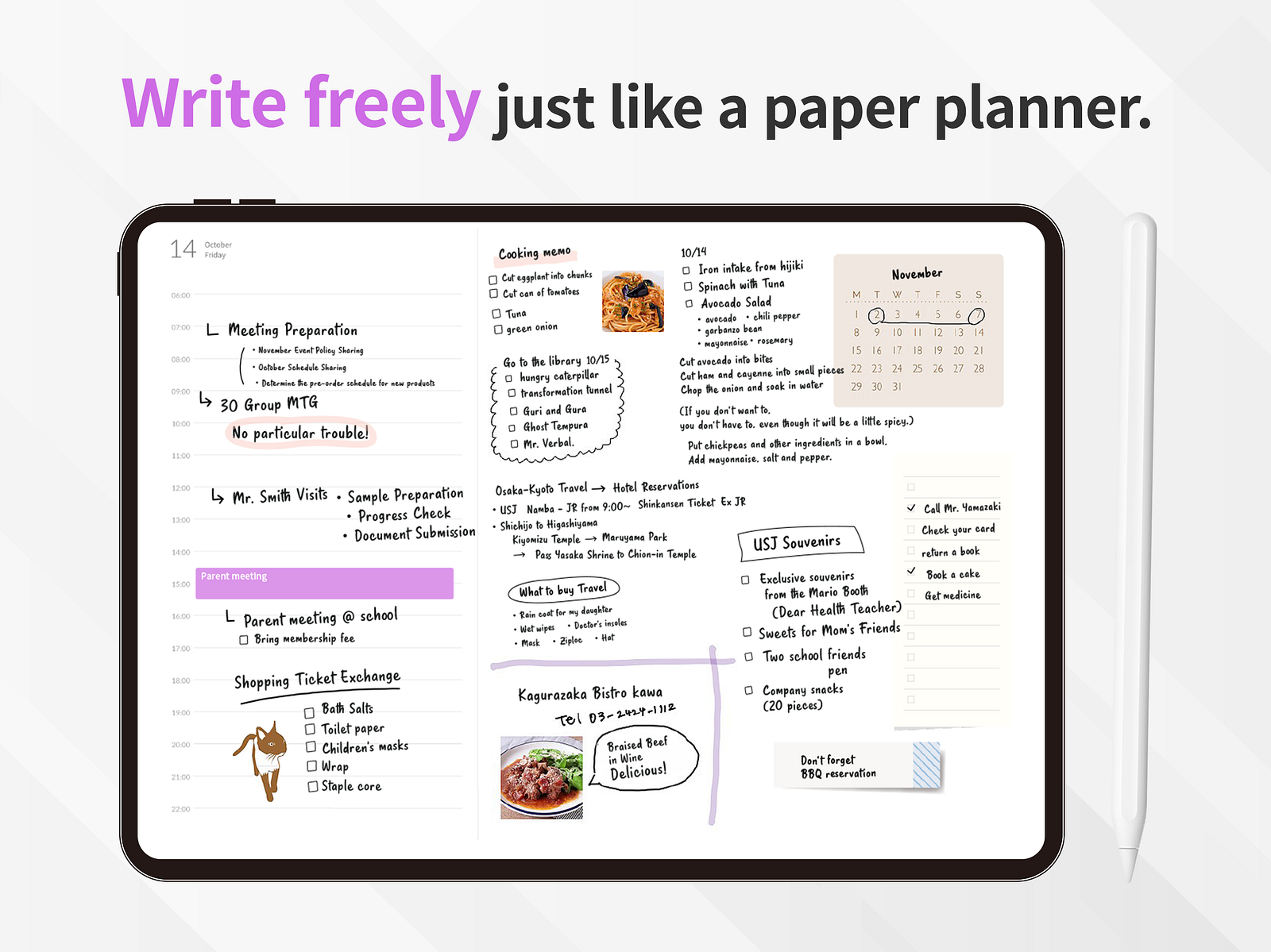
Paper has soul. iPad has search. Here’s how to figure out which one will actually keep you planning past February.
Every January, the same debate flares up on Reddit, YouTube, and Instagram: should you plan on paper or on your iPad? And every January, the answers are the same recycled talking points. “Paper is better for memory!” “Digital is better for productivity!” “Hobonichi forever!” “Just use Notion!”
None of it actually helps you decide.
Because the real question isn’t which one is better. It’s which one you’ll still be using in March. A planner you abandon is worse than no planner at all — it’s a small, expensive monument to the version of yourself you didn’t become.
So let’s skip the ideology and look at this honestly. Here’s what paper planners actually do well, what iPad planners actually do well, and how to figure out which one fits the life you’re actually living — not the one you wish you were.
What Paper Planners Are Genuinely Good At
Let’s give paper its due. There’s a reason a 90-year-old format is still selling out every year.
Paper makes you slow down. Writing by hand is slower than typing, and that slowness is the feature, not the bug. When you write a task with a pen, your brain processes it differently than when you type it. Studies on handwriting and memory consistently show that handwritten notes are remembered better than typed ones. If your goal is to think about your week — not just record it — paper has a real edge.
Paper has zero friction and zero distractions. You open the cover. You write. There’s no app to update, no notification to dismiss, no battery to charge, no software that suddenly redesigned itself overnight. A paper planner in 2026 works exactly the way it worked in 2006, which is exactly the way it’ll work in 2046.
Paper has soul. This sounds like marketing fluff, but anyone who’s used a Hobonichi Techo or a Leuchtturm1917 for a year knows what this means. The book becomes an object. The pages warp slightly from your handwriting. Coffee stains, doodles, ticket stubs taped in — it accumulates a year of your life in a way that no app ever will. When you finish, you have something to keep on a shelf.
Paper is pleasant. Tomoe River paper, fountain pen ink, washi tape, stickers. There’s a whole craft culture around paper planning that genuinely makes people happy. If planning is something you enjoy doing, you’re going to do it more often. That’s worth more than any feature comparison.
Where Paper Planners Quietly Fail
But paper has costs that the Instagram aesthetic doesn’t show you.
Paper doesn’t sync. Your calendar lives in your phone. Your meetings get scheduled by other people via email. Your kid’s school sends recurring events to your Google Calendar. None of that flows into your paper planner automatically. You have to copy it over by hand, every single week, forever. Miss a week and your planner is already out of date.
Paper isn’t searchable. Try finding the date of that lunch you had in March. On paper, you flip pages. On a digital planner, you search.
Paper doesn’t move. Wrote a task on Tuesday and didn’t finish it? You either cross it out and rewrite it on Wednesday, or you leave it stranded on Tuesday’s page forever. Bullet journalers built an entire methodology — “migration” — just to handle this one limitation.
Paper is heavy and breakable. A Hobonichi Cousin weighs about a pound. You’re not throwing that in your bag for a weekend trip. And if you spill coffee on it in November, you’ve lost your year.
Paper is expensive over time. A nice planner runs $40–$80. Stickers, washi tape, a decent pen, maybe a cover — easily another $50–$100. Then you do it again next year. And the year after.
What iPad Planners Are Genuinely Good At
Now the other side. An iPad planner — used well — solves most of paper’s structural problems while keeping the part that matters most: writing by hand.
Apple Pencil handwriting is the bridge. This is the thing people who haven’t tried it underestimate. Writing on a modern iPad with an Apple Pencil isn’t typing. It’s handwriting. You get the same slow, thoughtful, memory-encoding benefit that paper gives you — but everything you write lives inside a system that can search, sync, and back itself up.
Your calendar shows up automatically. With a dedicated iPad planner like Planner for iPad, your Apple Calendar events appear directly in your weekly view. (Read-only — your handwritten plans stay separate from your calendar, which is exactly what you want.) No more manually copying meetings every Sunday.
Mistakes aren’t permanent. Wrote in the wrong week? Drag it. Changed your mind about Thursday’s plan? Erase it. There’s no White-Out, no scribbling out, no torn pages. For people who avoid paper planners because they’re afraid of “ruining” them, this matters more than it sounds.
One iPad, infinite planners. Want to try a weekly layout this month and a daily layout next month? On paper, that’s two separate books. On iPad, it’s two taps. You can experiment with formats until you find one that actually fits your life — without buying a new $60 book each time.
It’s already in your bag. If you own an iPad, you’re already carrying it. A digital planner adds zero weight, zero bulk, and zero “did I remember to bring it” anxiety.
Where iPad Planners Quietly Fail
iPad planning isn’t a free lunch either.
The iPad is also a distraction machine. The same device that holds your planner also holds Instagram, YouTube, Slack, and a web browser. Opening your planner means walking past every notification you’ve been avoiding. Some people can ignore this. Some genuinely can’t.
Battery and charging. Paper doesn’t die at 3pm. Your iPad does, eventually. If you’re on a long travel day or in a meeting room without an outlet, this can matter.
It doesn’t feel like a keepsake. When the year ends, you don’t have a beautiful object to put on a shelf. You have a file. For some people that’s a relief. For others it’s a real loss.
Bad apps make it worse, not better. A lot of “iPad planners” are just PDF templates loaded into a note-taking app. They’re slow, clunky, and break the moment you try to do anything the template designer didn’t anticipate. The iPad planning experience depends entirely on which app you choose.
So Which One Should You Actually Use?
Here’s the honest framework. Forget the aesthetic. Answer these four questions:
1. Do you already live in a digital calendar? If your meetings, your family schedule, and your reminders all live in Apple Calendar or Google Calendar, paper is going to be a constant catch-up game. Pick iPad.
2. Do you find planning pleasurable or functional? If browsing the Hobonichi catalog genuinely makes you happy, paper is part of the joy. Pick paper. If planning is a chore you want to get over with so you can do real work, pick iPad.
3. How often do your plans change? If your week is mostly fixed — same classes, same shifts, same routine — paper works fine. If your week gets reshuffled three times by Wednesday, you need something you can drag and erase without making a mess. Pick iPad.
4. Have you abandoned planners before? Be honest. If you have a drawer full of half-used Moleskines, the problem isn’t that you haven’t found the right paper planner. The problem is that paper, for your life, has too much friction. Try iPad — but pick a real planner app, not a PDF.
The Hybrid Option Nobody Talks About
There’s a third answer most comparison articles ignore: use both, for different things.
A lot of long-term iPad planner users keep a small paper notebook on their desk for messy thinking — brain dumps, sketches, that one thing you need to remember for the next ten minutes. The iPad holds the structured stuff: the calendar, the weekly plan, the recurring tasks, the searchable record of what you actually did.
This isn’t a compromise. It’s recognizing that paper and digital are good at different things, and the smart move is to let each one do what it’s best at.
The Bottom Line
If you love paper, use paper. The best planner is the one you’ll actually open tomorrow morning.
But if you’ve tried paper and it didn’t stick — or if your life has too many moving pieces for a static book to keep up with — don’t blame yourself. Try writing by hand on an iPad instead. You’ll get most of what made paper good (the slowness, the handwriting, the ritual) without the parts that made it fail you (the copying, the searching, the rigidity).
Planner for iPad is free to download. Apple Calendar sync, Apple Pencil handwriting, weekly and monthly views, stamps and templates. No trial timer, no countdown — just open it and try it.
Whatever you pick, pick one and stop researching. The planner you commit to in April is worth more than the perfect one you’re still comparing in June.