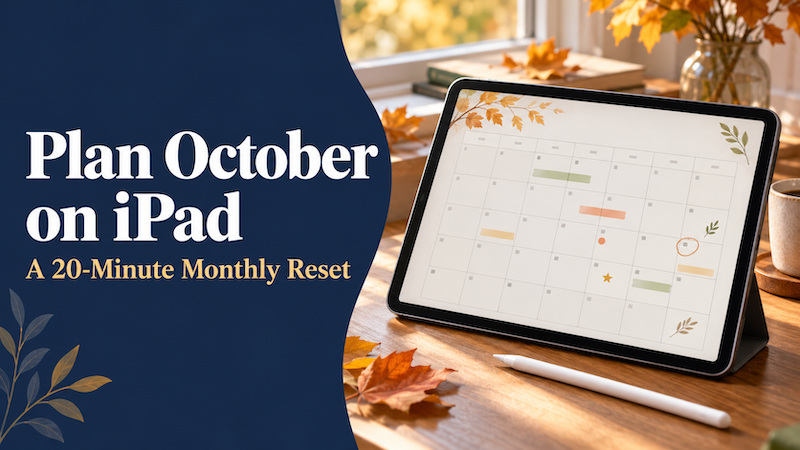
The last days of September can feel like a rush to finish everything you promised yourself you would do this month. October is already filling with meetings, school events, deadlines, and plans you have not quite made yet.
Before adding another list of goals, take twenty minutes to look at what actually happened in September and what October already contains. You do not need a new template or a perfect productivity system. An iPad, an Apple Pencil, and a planner that shows your real calendar are enough.
Here is a practical monthly reset you can finish before the new month begins.
Minutes 0–4: Review September without rewriting it
Open your September monthly page, then glance through the weeks. Look at the appointments that happened, the handwritten plans you made, and the tasks that kept moving forward.
Write three short answers:
- What worked? Perhaps you protected a quiet morning for focused work, kept up with a class, or made time for family.
- What remained unfinished? Name the specific work, not a vague category such as “get organized.”
- What changed? A project may no longer matter, a deadline may have moved, or your available time may be different from what you expected.
This is a review, not a test. The point is to use September as evidence when planning October. If the same task moved from week to week, simply copying it into next month is unlikely to solve the problem. It may need a smaller first step, a dedicated work session, or permission to leave the list.
For a more detailed end-of-week routine, see How to Do a Weekly Review on iPad.
Minutes 4–8: See the October you already have
Now open the October monthly view. Start with commitments that are already scheduled: meetings, travel, appointments, classes, family events, and deadlines. If you use separate work and personal calendars, look at them together before deciding that a week is “free.”
Mark the dates that affect more than one day. A presentation on a Thursday may require preparation earlier that week. A weekend trip may need packing and errands beforehand. A crowded final week suggests that a project should reach its important milestone sooner.
In Planner for iPad, calendar events can appear on your planning pages while you write around them with Apple Pencil. You can see the fixed commitments first, then add your own decisions without copying every appointment into a separate PDF planner.
If you want a closer look at what a monthly view is useful for, read Best Monthly Planner App for iPad with Apple Pencil.
Minutes 8–12: Choose what October is for
Choose no more than two or three outcomes you would be glad to reach by the end of October. An outcome describes a result you can recognize. “Work on my course” is difficult to assess; “record the first three lessons” is clearer.
You might choose:
- Finish a first draft of a project proposal
- Record three lessons for an online course
- Complete the application materials for a program
- Make room for two unhurried family weekends
These do not all have to be work goals. A month that contains only professional targets may look successful on paper while leaving out the life you are trying to plan for.
Write your outcomes in an open area of the monthly page. If a goal belongs to a larger project, check your quarterly direction, then decide what part can realistically happen in October. Our 90-day planning guide explains that connection in more detail.
Minutes 12–16: Give each outcome a first week
A monthly goal becomes useful when it changes what you do soon. For each outcome, identify the first visible step and a week in which you can take it.
Suppose you want to record three course lessons. Your October plan might look like this:
| Week | Useful next step |
|---|---|
| Week 1 | Choose the three lesson topics and outline lesson one |
| Week 2 | Draft scripts and test the recording setup |
| Week 3 | Record and review the lessons |
| Week 4 | Make corrections and prepare the videos for release |
This is a working outline, not a promise that every week will unfold exactly as written. Check the calendar before assigning the steps. If the second week is full of travel or meetings, move the demanding work to a quieter period.
Then open the first weekly page and write one action you can actually start. “Outline lesson one on Tuesday morning” gives you a clearer starting point than “make progress on course.” You can decide the finer details when that week arrives.
Minutes 16–20: Leave room for change
Before finishing, look for overloaded weeks. Have you assigned every open hour to a new task? Are you expecting a major deadline to require no preparation or recovery time? Is a personal commitment being squeezed out by work?
Remove, shorten, or move one plan if the month looks too full. You can also mark a flexible period for unfinished work or unexpected requests. Empty space is part of a usable plan.
Finally, write one sentence at the top of your first October weekly page:
This week, the most useful progress I can make is __.
When October starts, you will know where to begin. At the end of each week, check what changed and adjust the next one. A monthly plan should help you make decisions throughout the month, not become a document you feel obliged to follow after circumstances have changed.
Start with the month in front of you
Twenty minutes is enough to review the previous month, see your existing commitments, choose a few priorities, and take the first step. The process works in any month, but the move from September into October is a good opportunity to reset before the final stretch of the year becomes crowded.
If you like planning by hand but rely on a digital calendar, download Planner for iPad on the App Store. Open October, see the events already on your calendar, and use Apple Pencil to decide what deserves the space around them.