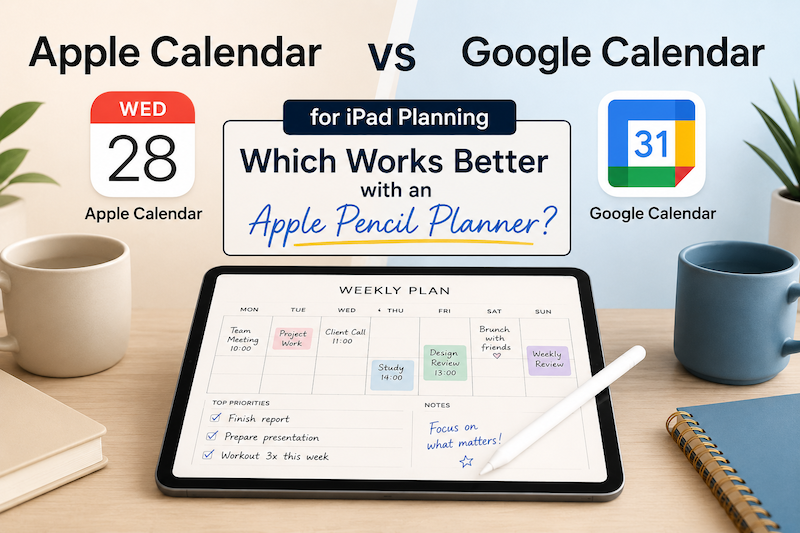
Choosing between Apple Calendar and Google Calendar is not just a question of which app looks better.
If you use your iPad as a planner, the real question is:
Which calendar works better with the way you actually plan your day?
For many people, the calendar is where appointments live. But an iPad planner is where the day becomes visible, flexible, and personal. Especially if you use Apple Pencil, your planner is not only a place to check your schedule. It is a place to think, write, rearrange, and decide what matters.
So, which is better for iPad planning: Apple Calendar or Google Calendar?
The answer depends on your workflow.
The short answer
Use Apple Calendar if you mostly use Apple devices and want a simple, native experience.
Use Google Calendar if you rely on Gmail, Google Workspace, shared calendars, or work across different platforms.
But for iPad planning, the most important thing is not whether Apple Calendar or Google Calendar is “better.”
The most important thing is this:
Your planner should connect to the calendar you already use.
If your real schedule is in Google Calendar, use Google Calendar.
If your real schedule is in Apple Calendar, use Apple Calendar.
The problem starts when your planner forces you to copy events manually.
Why calendar choice matters for iPad planning
A traditional paper planner is flexible, but it has one big weakness:
You have to write everything yourself.
That can feel nice when you are planning slowly. But when meetings, appointments, deadlines, and family events keep changing, manually rewriting your calendar becomes annoying very quickly.
A normal calendar app solves that problem. Events can be added, changed, shared, and synced automatically.
But calendar apps also have a weakness:
They are not always good thinking spaces.
They are excellent for showing where you need to be at 10:00.
They are less helpful when you want to write notes, sketch ideas, block out your priorities, or plan your week in a more personal way.
That is why many people use both:
- a calendar app for fixed events
- an iPad planner for handwritten planning
The best setup is one where these two systems work together.
Apple Calendar: best for Apple-first users
Apple Calendar is the natural choice if you live mostly inside the Apple ecosystem.
If you use an iPhone, iPad, Mac, Apple Watch, and iCloud, Apple Calendar feels almost invisible in a good way. Events appear across your devices, notifications work smoothly, and there is very little setup required.
Apple Calendar is especially good if you want something simple and integrated.
Apple Calendar is a good choice if you:
- use iPhone, iPad, and Mac every day
- rely on iCloud
- prefer built-in Apple apps
- want fewer accounts and fewer settings
- use Siri or Apple widgets
- do not need many advanced sharing features
For personal planning, Apple Calendar is often enough.
If your schedule is mostly personal appointments, family events, reminders, classes, habits, or simple work meetings, Apple Calendar can be very comfortable.
Google Calendar: best for Gmail and work accounts
Google Calendar is often the better choice if your schedule is connected to Gmail or Google Workspace.
Many work, school, and shared calendars are built around Google Calendar. If people send you meeting invitations through Gmail, or if your team uses Google Workspace, Google Calendar may already be the place where your real schedule lives.
Google Calendar is also strong if you move between devices. You can use it on iPad, iPhone, Android, Windows, Mac, and the web without feeling locked into one ecosystem.
Google Calendar is a good choice if you:
- use Gmail
- use Google Workspace for work or school
- share calendars with other people
- manage your schedule from a browser
- use non-Apple devices too
- collaborate with teams or clients
For work planning, Google Calendar is often more flexible.
It is especially useful if your calendar is not just personal. Shared calendars, multiple accounts, and work invitations are usually easier to manage with Google Calendar.
Calendar apps are not the same as planners
This is the key point.
Apple Calendar and Google Calendar are both calendar apps. They are built to manage scheduled events.
They answer questions like:
- What time is my meeting?
- Where do I need to be?
- What is already scheduled?
- Who is invited?
- When does this event repeat?
But planning is a little different.
Planning answers questions like:
- What should I focus on today?
- What do I need to prepare before this meeting?
- Which tasks should I move to tomorrow?
- What is actually realistic this week?
- What do I want this day to feel like?
A calendar shows your commitments.
A planner helps you make decisions.
That is why an iPad planner can be useful even if you already use Apple Calendar or Google Calendar.
Why Apple Pencil changes the experience
Typing is fast.
Handwriting is slower.
For productivity, slower does not always sound good. But for planning, slower can be useful.
When you write with Apple Pencil, you are not just entering data. You are thinking through your day.
You can circle an important event.
Draw an arrow.
Write a quick note beside a meeting.
Mark something as urgent.
Sketch an idea.
Cross out a task.
Move your attention from one thing to another.
This is hard to reproduce in a normal calendar app.
A calendar app is structured.
A handwritten planner is expressive.
The best iPad planning setup combines both.
Apple Calendar vs Google Calendar for iPad planning
Here is a simple comparison.
Apple Calendar
Best for:
Apple-first users, personal planning, simple schedules
Main strength:
Native Apple integration
Good if you:
Use iPhone, iPad, Mac, iCloud, and prefer built-in apps
Potential weakness:
Less flexible if your work or team uses Google Workspace
Google Calendar
Best for:
Gmail users, work calendars, shared schedules
Main strength:
Cross-platform flexibility and collaboration
Good if you:
Use Gmail, Google Workspace, shared calendars, or multiple devices
Potential weakness:
Can feel less native if you want a purely Apple-style experience
For iPad planning, both can work well.
The better choice is the one that already contains your real schedule.
The mistake to avoid: duplicating your calendar
Many digital planning systems create extra work.
You have your real events in Apple Calendar or Google Calendar. Then you open a PDF planner or note-taking app and rewrite those same events by hand.
At first, this feels organized.
But after a few weeks, it becomes a chore.
A meeting changes.
You have to update the calendar.
Then you have to update the planner.
A new appointment appears.
You have to copy it again.
A recurring event moves.
Now your planner is wrong.
This is where many people stop using digital planners.
Not because they dislike planning.
Because maintaining two separate schedules is exhausting.
A better approach: calendar plus handwritten planning
The better approach is to keep your calendar as the source of truth.
Your Apple Calendar or Google Calendar should hold your actual events.
Then your iPad planner should help you think around those events.
That means your planner becomes a layer on top of your calendar, not a replacement for it.
This is especially powerful for people who like the feeling of paper planning but still need modern calendar sync.
You get:
- automatic calendar events
- handwritten notes
- Apple Pencil planning
- flexible daily and weekly pages
- less manual copying
- a more visual planning experience
Where Planner for iPad fits
Planner for iPad is designed for people who want to combine calendar events with handwritten planning.
Instead of replacing Apple Calendar or Google Calendar, Planner for iPad lets you use your existing calendar system and write around it with Apple Pencil.
That means you can keep using the calendar you already trust, while turning your iPad into a more personal planning space.
You do not have to choose between a calendar app and a handwritten planner.
You can use both together.
Which should you choose?
Choose Apple Calendar if you want the simplest Apple-native setup.
It is a good fit if your life is already organized around iPhone, iPad, Mac, and iCloud.
Choose Google Calendar if your schedule is connected to Gmail, Google Workspace, school, work, or shared calendars.
It is a good fit if your calendar needs to work across platforms and with other people.
Choose an Apple Pencil planner if you want more than a calendar.
It is a good fit if you want to write, reflect, organize, and plan visually instead of only looking at blocks of time.
Final recommendation
Do not choose a calendar app because someone says it is the “best.”
Choose the calendar that already holds your real schedule.
If that is Apple Calendar, build your iPad planning workflow around Apple Calendar.
If that is Google Calendar, build your iPad planning workflow around Google Calendar.
Then use an Apple Pencil planner like Planner for iPad to turn that schedule into an actual plan.
Because a calendar can tell you what is happening.
But a planner helps you decide what to do with it.