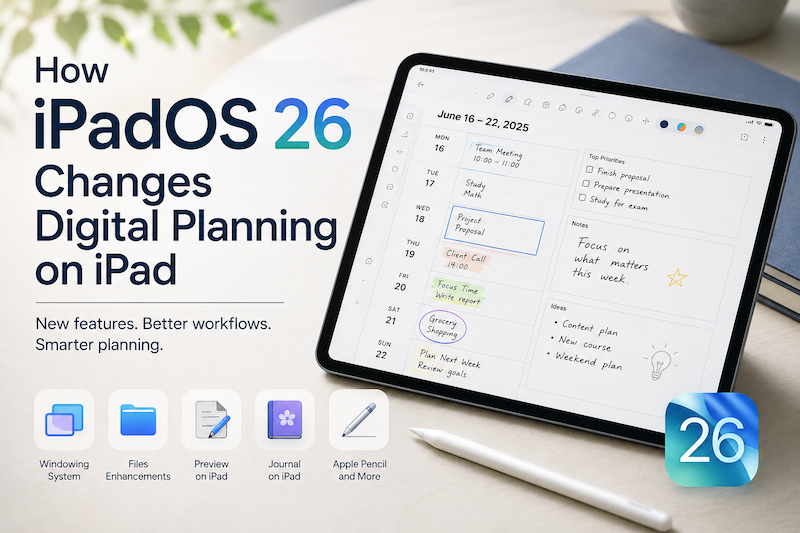
iPadOS 26 makes the iPad feel more powerful, flexible, and closer to a complete workspace than ever before.
With a new windowing system, improved file handling, Preview on iPad, better PDF workflows, Journal, and more Apple Pencil-friendly features, the iPad is no longer just a device for reading, watching, or light note-taking. It is becoming a serious place to work, think, organize, and plan.
But there is one important thing to remember:
More productivity features do not automatically make planning easier.
A more powerful iPad can help you do more. A good digital planning system helps you decide what actually matters.
What iPadOS 26 Brings to the iPad
iPadOS 26 introduces several changes that make the iPad feel more like a flexible workspace.
The new windowing system makes it easier to control, organize, resize, and switch between apps. Instead of being limited to one app at a time, you can work across multiple apps more naturally.
This matters for planning because real planning rarely happens in only one place.
You might need to check your calendar, look at a document, review a class schedule, open a PDF, check reminders, and write down your priorities. With iPadOS 26, the iPad becomes better at supporting that kind of mixed workflow.
Apple also brings the Preview app to iPad, making it easier to view, edit, and share PDFs and images. For many people, PDFs are still an important part of school, work, teaching, and personal organization.
Journal also becomes available on iPad, giving users a place to record thoughts, memories, photos, drawings, audio, and handwritten entries with Apple Pencil.
All of these changes point in the same direction:
The iPad is becoming a more complete place for daily life.
But that also creates a new challenge.
More Apps Can Also Mean More Friction
A better iPad does not always mean a calmer workflow.
In fact, when the iPad becomes more powerful, it can also become more distracting.
You may have more windows open, more documents to manage, more places to write things down, and more apps competing for your attention.
Your calendar shows your schedule.
Your reminders show tasks.
Your files contain documents.
Your notes contain ideas.
Your journal contains reflections.
Your email contains requests.
Each app is useful, but planning your day or week often requires something different.
You need one place where everything becomes visible enough to think about.
That is where digital planning becomes important.
Digital Planning Is Not Just Calendar Management
Calendar apps are excellent at showing fixed events.
They tell you when a meeting starts, when a class happens, when an appointment is scheduled, or when a deadline is coming. Calendar apps are great for time-based information.
But planning is not only about what is already scheduled.
Planning is also about the space around your schedule.
What should you focus on today?
Which task should happen before a meeting?
What can wait until tomorrow?
Where do you need more time?
What kind of week are you actually trying to create?
A calendar can show your commitments, but it does not always help you think through them.
That is why many people still prefer planners, even when they already use Apple Calendar or Google Calendar.
A planner gives your schedule context.
It helps you turn events into decisions.
Why Apple Pencil Still Matters
One of the biggest reasons people love planning on iPad is Apple Pencil.
Typing is fast, but handwriting feels different.
When you write by hand, you slow down just enough to think. You can circle something important, draw an arrow, cross out a task, add a note in the margin, or rewrite your day in a way that feels natural.
This is one reason digital planning on iPad is different from using a normal calendar app.
It combines structure and flexibility.
You can keep the benefits of digital tools while still using the simple, human feeling of handwriting.
iPadOS 26 makes the iPad more capable, but Apple Pencil keeps it personal.
How iPadOS 26 Changes the Role of a Digital Planner
Before iPadOS 26, many people used the iPad mainly as a single-task device. They might open a planner, write notes, check a calendar, then switch apps.
With iPadOS 26, the iPad becomes better at working across multiple contexts.
This changes how a digital planner can fit into your day.
A planner can become the center of your workspace.
You can use your planner while checking your calendar.
You can refer to a PDF while writing your weekly plan.
You can keep a document open while organizing your tasks.
You can review your schedule and write priorities in the same session.
Instead of replacing other apps, a digital planner can connect them.
That is the real change.
Digital planning on iPad is no longer just about recreating a paper planner on a screen. It is about creating a calm planning space inside a more powerful iPad workflow.
Where Planner for iPad Fits
Planner for iPad is designed for people who want a simple, handwriting-friendly way to plan on iPad.
It is not trying to be a complicated productivity system.
Instead, it gives you a place where your calendar and your handwritten planning can live together.
You can see your calendar events directly on planner pages, then use Apple Pencil to write around them. This makes it easier to understand not only what is scheduled, but how your day or week actually feels.
That is especially useful in the iPadOS 26 era.
As the iPad becomes better at multitasking, you may have more apps and information available at once. But you still need a place to slow down and make decisions.
Planner for iPad helps create that place.
It brings together:
- calendar-based planning
- Apple Pencil handwriting
- simple planner pages
- weekly and daily thinking
- a calmer alternative to complex productivity apps
For people who already use Apple Calendar or Google Calendar, this can be especially helpful. Your calendar can stay as the source of scheduled events, while your planner becomes the place where you think about your time.
A Simple iPadOS 26 Planning Workflow
Here is one simple way to use digital planning on iPadOS 26.
1. Start with your weekly planner
Open your weekly planner and look at the shape of your week.
Before adding more tasks, first notice what is already there. Meetings, classes, appointments, deadlines, and recurring events all affect how much time you actually have.
2. Check your calendar events
Use your calendar events as the structure of your week.
Instead of keeping your calendar separate from your planning, bring those events into your planning process. This makes it easier to see where your free time really is.
3. Write your priorities by hand
Once you know what is fixed, write down what matters most.
This could be work priorities, study goals, personal tasks, errands, or habits. The point is not to fill every empty space. The point is to choose intentionally.
4. Use other apps as references, not distractions
With iPadOS 26, it is easier to work with multiple apps. You might open a document, PDF, file, or note while planning.
But try to keep your planner as the center.
Other apps can provide information. Your planner should help you make decisions.
5. Review and adjust
Good planning is not about creating a perfect plan once.
It is about adjusting as life changes.
At the end of the day or week, review what happened. Move unfinished tasks, rewrite priorities, and make the next plan a little more realistic.
iPadOS 26 Makes the iPad More Powerful. Planning Makes It More Useful.
iPadOS 26 is an important update because it makes the iPad feel more capable.
The iPad can handle more windows, more files, more documents, more writing, and more workflows. For many people, that makes it a better device for work, school, and personal organization.
But productivity is not only about capability.
It is also about clarity.
You can have the best apps, the best multitasking features, and the most flexible workspace, but you still need a way to decide what deserves your time.
That is what digital planning is for.
A good planner does not just help you record your schedule. It helps you understand it.
Final Thoughts
iPadOS 26 changes digital planning by making the iPad a more complete workspace.
You can use more apps together, manage files more easily, work with PDFs, write with Apple Pencil, and organize more of your life on one device.
But the more powerful the iPad becomes, the more important it is to have a calm place to plan.
Planner for iPad gives you that place.
It brings your calendar and handwriting together, so you can see your schedule, write your thoughts, and plan your day or week in a way that feels natural.
iPadOS 26 makes the iPad more capable.
Planner for iPad helps make that capability calmer.